Restore damaged photos online
Scratches, marks and fading can make old photographs hard to see. Renovo processes a digital copy, so you can inspect the result before paying.
Preview your restored photoThe watermarked preview is free. A single-photo download without the watermark costs 5 PLN. No subscription.
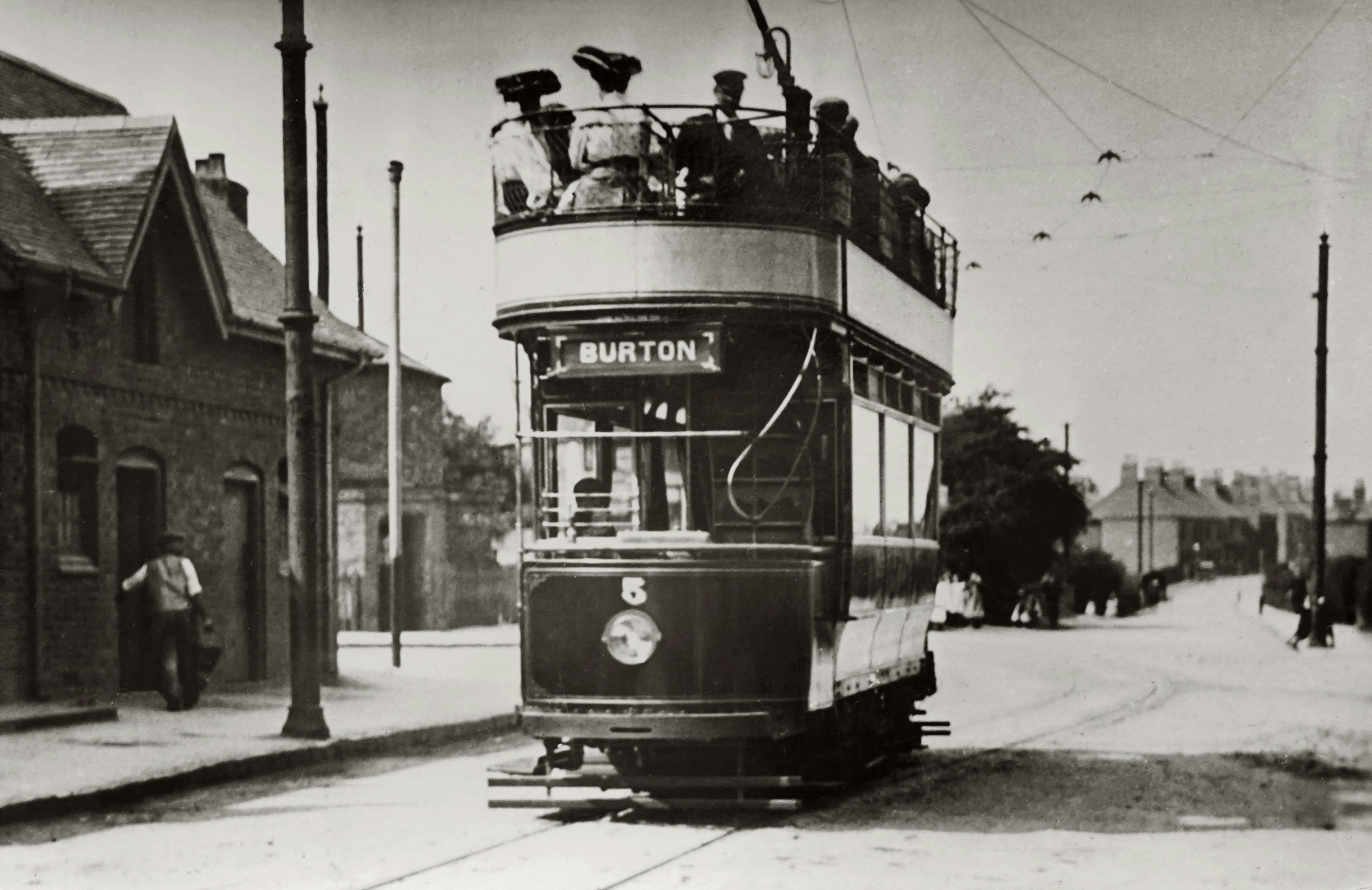
Before
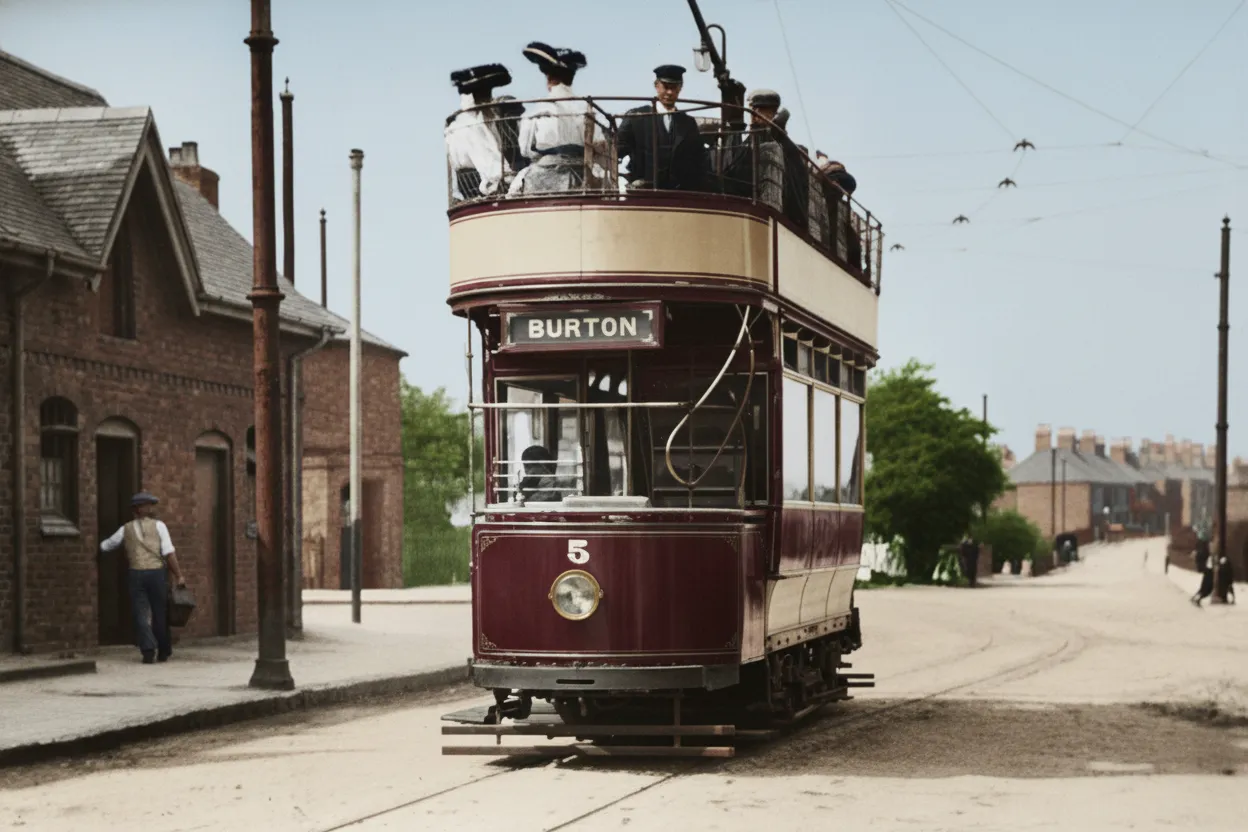
After processing
What to inspect in your free preview
| Condition of the photo | What to expect |
|---|---|
| Small scratches and spots | AI may make them less visible. A mark crossing an eye or mouth needs careful comparison with the original. |
| Fading and low contrast | Processing may make the scene easier to see. Very light or dark areas with no visible detail cannot always be recovered. |
| Creases, tears and missing pieces | Results depend on the size and location of the damage. Large gaps may be filled with invented details. |
| Blurred or very small faces | Sharpening may change a person’s features. If likeness matters, inspect an enlarged view before buying. |
Keep the print alongside its digital copy
Renovo restores the digital image. Keep the paper photograph and an unedited scan in your archive. Save the generated result as a separate version so you can return to the source.
If a print is fragile or stuck to an album, do not force it loose. A phone can make a copy without removing the photograph. Valuable or badly damaged originals need careful handling.
Further guidance: National Archives: preserving family photographs.
Fix problems with the capture before uploading
- Retake the photo if a lamp reflection covers a face. AI may mistake glare for damage to the print.
- Capture the whole image without fingers covering its edges. Keep the phone parallel to the photograph.
- Use the original phone or scanner file instead of a screenshot. Supported formats are JPG, PNG and WEBP.
Check the likeness before downloading
Upload the copy to Renovo, adjust the crop and wait for the watermarked preview. Restoration also includes automatic colorization; the current form does not offer a separate mode for keeping the image black and white.
Compare faces, hands, lettering and any details important to your family. If you are happy with the result, continue to payment to download the image without its watermark. For large missing areas or precise changes to individual details, consider manual retouching.
Before you start
Can every damaged photograph be restored?
No. Large missing areas, severe blur and invisible facial features limit what can be recovered faithfully. The free preview lets you assess the result for your particular photograph.
Can restoration change someone’s face?
It can, especially when the face is small, blurred or crossed by a scratch. AI reconstructs details, so you need to assess the likeness yourself before buying.
Can I print the restored photograph?
The purchase provides a digital file. Before printing, check its pixel dimensions and inspect the details at a larger size. The suitable print size depends on the output resolution; enlarging a print does not add detail.
See how Renovo handles your photograph
Start with one clear copy. Use the preview to decide whether to buy the download.
Preview your restored photoThe watermarked preview is free. A single-photo download without the watermark costs 5 PLN. No subscription.